
Key Takeaways
Senior monitoring devices offer far more than basic emergency buttons, providing solutions that help your loved one maintain independence while giving your family peace of mind.
- Monthly costs for medical alert systems range from $24.95 to $79.95, with choices including traditional pendants, smartwatches, and voice-activated options to fit different budgets and preferences.
- Fall detection capabilities span multiple device categories, from wearable pendants to AI-powered systems that adapt to individual movement patterns and minimize false alerts.
- Smart home technology turns ordinary household items into monitoring tools, such as voice assistants, security cameras, and automated medication dispensers that offer complete oversight.
- Preventive monitoring systems detect health changes before emergencies develop, potentially reducing hospitalizations by 40% and falls by 69% through early intervention.
- Contract-free options and trial periods are commonly available, letting families test systems without risk before making long-term monitoring commitments.
Finding the right senior monitoring solution requires matching the technology to your loved one’s specific needs, lifestyle, and comfort with technology. A simple pendant system or a complete smart home setup can create essential safety networks that support aging in place while providing families with invaluable peace of mind.
Senior monitoring devices provide critical peace of mind for families caring for aging loved ones. According to a 2024 AARP report, 75% of surveyed Americans ages 50 and older said they planned to ride out the golden years at home, making reliable monitoring solutions more important than ever.
Aging in place offers independence, but it also creates unique safety challenges. The CDC Foundation reports more than one in four people 65 and older fall each year, with over 38,000 deaths recorded from falls in 2021 alone. These statistics demonstrate why investing in a quality senior monitoring system becomes essential for families wanting to support their loved ones’ independence while ensuring their safety.
Finding the right senior monitoring system for your specific needs takes careful consideration. We have researched and tested the best senior monitoring devices available today, comparing features, reliability, and value. We’ve also examined how these devices integrate into existing home setups, as Americans 50-plus spent $140 billion on technology in 2018.
Medical alert systems with monthly fees ranging from $24.95 to $36.95 represent just one option among many senior monitoring devices that offer real-time updates. The right choice can significantly reduce worry, as adult children feel better about Mom and Dad living independently when they can be immediately alerted if something goes wrong.
This guide examines 15 top senior monitoring devices for 2026, highlighting key features, pros, cons, and pricing to help you make an informed decision for your loved one’s safety and your peace of mind.
Medical Guardian
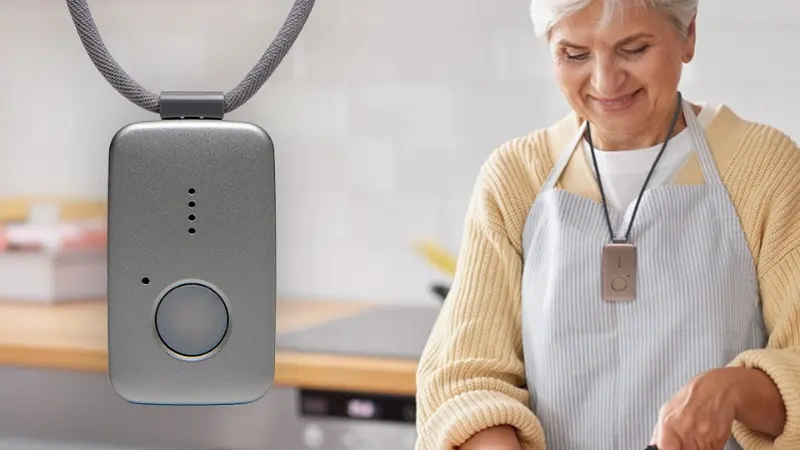
Founded in 2005, Medical Guardian serves families seeking reliable monitoring devices for aging relatives. This Pennsylvania-based company offers multiple alert systems designed to help seniors maintain independence while providing peace of mind for caregivers. Medical Guardian has established itself as a competitor to established providers like Life Alert and Bay Alarm Medical.
Medical Guardian Key Features
The company provides six different alert systems featuring water-resistant help buttons that seniors can wear as pendants or wrist devices. Their in-home systems offer coverage extending up to 1,400 feet from the base unit, providing protection throughout most residential properties. Mobile devices include GPS tracking capabilities, Wi-Fi connectivity, and two-way communication for seniors who remain active outside the home. The MGMove smartwatch serves dual purposes, functioning as both a medical alert device and a standard smartwatch with weather updates and text messaging. Families needing more detailed oversight can choose the Family Guardian plan, which adds motion sensors and an activity monitoring app to track daily movement patterns.
Medical Guardian Pros and Cons
Pros:
- No long-term contracts or cancellation fees required
- 32-hour backup battery maintains service during power outages
- Mobile devices offer five-day battery life between charges
- Fall detection available on most systems for an additional $10 monthly
- In-home systems include free monitoring for a spouse
Cons:
- Monthly costs exceed some competitor pricing
- Equipment fees range from $149.95 to $199.95 upfront
- No free trial period offered
- Fall detection requires additional monthly fee
- Lowest-priced option requires existing landline service
Medical Guardian Pricing
Monthly monitoring fees start at $27.45 for the basic annual in-home plan and reach $73.29 for premium packages that include motion sensors. Mobile protection plans cost between $36.62 and $50 per month. You can choose monthly, quarterly, or annual payment schedules, with annual plans offering the greatest savings. Fall detection adds $10 to monthly costs, while optional features like wall buttons ($2.99-$5.00) and device protection ($6.99) remain reasonably priced.
Medical Guardian Best For
This system works well for seniors at higher risk of falling, since most devices offer optional fall detection capabilities. The Family Guardian system’s motion sensors and activity tracking app provide comprehensive monitoring for less mobile seniors. Active seniors benefit from mobile options that combine GPS tracking, water-resistant design, and extended battery life. Tech-comfortable seniors may prefer the MGMove smartwatch for its discrete monitoring combined with standard smartwatch features.
Aloe Care Health
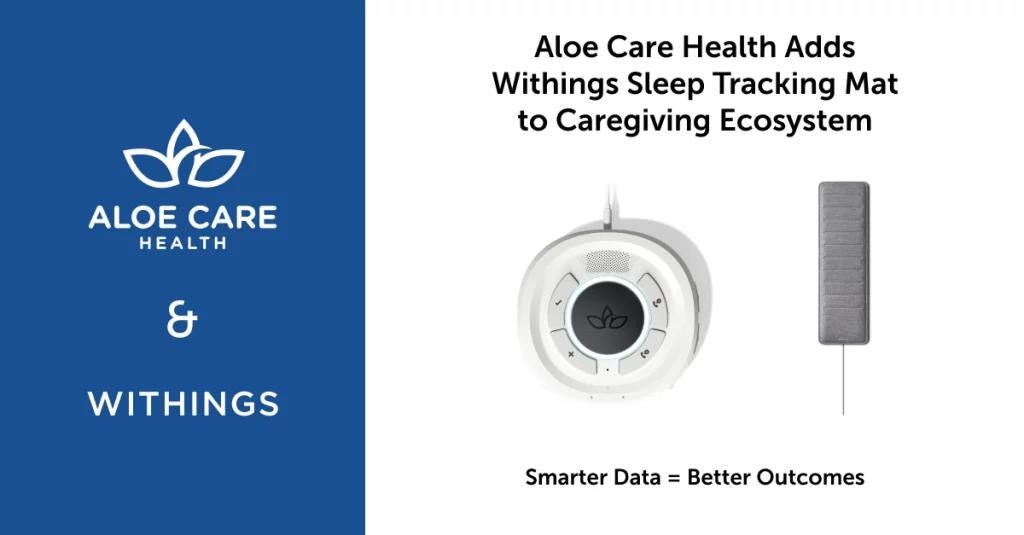
Aloe Care Health offers a voice-activated approach to senior monitoring through technology launched in 2020. This newer company has gained recognition for features designed specifically for seniors aging in place.
Aloe Care Health Key Features
Aloe Care Health provides three main system options. The Essentials plan centers around a Smart Hub base station with voice-activated emergency response that operates without WiFi. Built-in sensors monitor motion, temperature, and air quality for environmental tracking. The Mobile Companion 2 offers portable protection with automatic fall detection, two-way communication, and nationwide location tracking. The Essentials Plus combines both systems for complete coverage. All plans include a secure caregiver app that allows unlimited users to coordinate care, receive real-time updates, and make direct calls to the Hub.
Aloe Care Health Pros and Cons
Pros:
- Voice-activated emergency response works without button pressing
- Cellular connectivity included, no WiFi needed
- Unlimited caregiver access through mobile app
- Environmental monitoring sensors included
- Fall detection comes with Mobile Companion 2
- 30-day money-back guarantee
Cons:
- Hardware costs range from $149.99 to $349.99 upfront
- Monthly fees higher than some alternatives
- Actual in-home range tested at 35 feet, not the advertised 200 feet
- Basic in-home system lacks fall detection
Aloe Care Health Pricing
The Essentials plan costs $39.99 monthly plus $199.99 for hardware. The Mobile Companion 2 runs $44.99 monthly with $149.99 equipment cost. For combined protection, Essentials Plus costs $59.99 monthly with $349.99 in equipment fees. Fall detection is included with the Mobile Companion 2 at no additional monthly charge.
Aloe Care Health Best For
Aloe Care Health works well for families with multiple caregivers, since the app supports unlimited care circle members. It suits seniors who avoid wearing traditional help buttons, as voice activation provides what the company calls an “invisible safety net”. The environmental monitoring benefits those concerned about air quality, temperature, and motion detection. Families seeking advanced caregiver features may find value in this system despite higher upfront costs.
Bay Alarm Medical
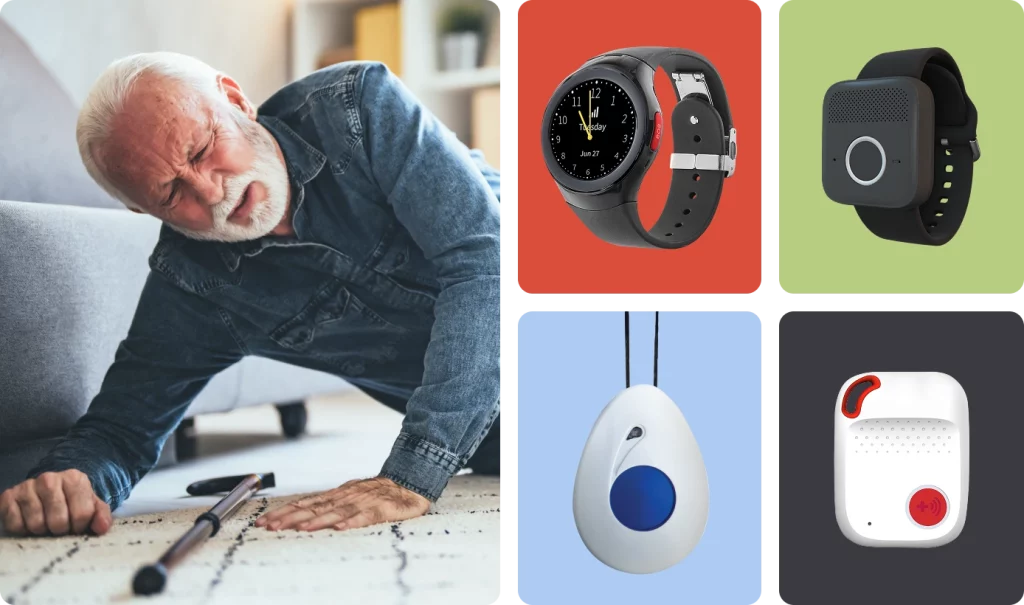
Bay Alarm Medical brings decades of experience to the senior monitoring space. This California-based family business has operated since 1946, building a reputation for dependable elderly monitoring devices backed by exceptional customer service. Consumer Reports members have ranked their systems highest in overall satisfaction.
Bay Alarm Medical Key Features
Bay Alarm Medical offers four monitoring systems designed for different senior needs. The SOS Home system provides protection through either landline or 4G LTE cellular connections, with coverage extending 800-1,000 feet from the base station. For seniors who want protection both at home and away, the SOS All-in-One 2 includes GPS and Wi-Fi positioning for accurate location tracking.
Active seniors might prefer the SOS Micro, which delivers compact mobile protection without requiring smartphone setup. The SOS Smartwatch combines emergency response with everyday functionality, including a physical help button, two-way communication, and step tracking. All systems connect to monitoring centers staffed 24/7 with USA-based agents who respond in an average of 31 seconds.
Bay Alarm Medical Pros and Cons
Pros:
- No long-term contracts required
- Free 15-day trial period
- 24/7 monitoring centers certified to CSAA Five Diamond level
- Support for 170 languages including Spanish, Russian, and Chinese
- Waterproof wearable buttons with 5-year battery life
Cons:
- Equipment fees on most mobile systems
- No international coverage
- Base unit looks somewhat dated compared to competitors
- Fall detection requires additional monthly fee
Bay Alarm Medical Pricing
Monthly monitoring begins at $27.95 for the landline SOS Home system, or $34.95 if you prefer cellular connectivity. Mobile protection costs $34.95 monthly, though you’ll pay equipment fees ranging from $149 for the SOS All-in-One 2 to $199 for the SOS Smartwatch. Bundle packages that combine in-home and mobile coverage start at $64.95 monthly. Adding automatic fall detection costs an extra $10 monthly across all systems.
Bay Alarm Medical Best For
Bay Alarm Medical works particularly well for budget-conscious seniors who want reliable protection without complicated technology. The systems require no tools or computer expertise for setup. Their 32-hour backup battery makes them suitable for areas where power outages occur frequently. For families seeking affordable, straightforward senior monitoring with excellent customer support, Bay Alarm Medical provides an ideal solution.
LifeFone VIPx
LifeFone’s At-Home & On-the-Go VIPx offers a practical solution for seniors who need monitoring both at home and while traveling. This compact pendant weighs just 1.3 ounces, making it comfortable enough for continuous wear throughout the day.
LifeFone VIPx Key Features
The VIPx provides dual protection for home and mobile use in a single device. The pendant offers water resistance, allowing seniors to wear it during showers and daily activities. Location tracking works through cellular, Wi-Fi, and GPS technology for accurate positioning. Battery life extends up to 10 days between charges, reducing the inconvenience of frequent charging. Fall detection functionality can automatically contact the monitoring center when incidents occur. The device operates nationwide through LifeFone’s cellular service using Verizon or AT&T networks, eliminating the need for additional phone service. Families can add the optional VIPx Caregiver Mobile App, which tracks location, daily steps, movement detection, and battery status remotely.
LifeFone VIPx Pros and Cons
Pros:
- Lightweight design suitable for all-day wear
- Water resistant for use during bathing
- Triple-location tracking technology
- Extended battery life with low-battery notifications
- No activation fees or equipment costs
- A+ Better Business Bureau rating
Cons:
- Requires monthly subscription for service
- Fall detection available for additional cost
- Caregiver app requires separate monthly fee
- Fall detection accuracy may vary
LifeFone VIPx Pricing
Monthly service starts at $39.95 with annual subscription plans. Quarterly payment options cost $125.85 and include a complimentary fourth month plus free shipping. Annual plans run $439.45, providing a free 12th month, free shipping, and a complimentary lockbox. Fall detection adds $5.00 monthly to any plan, which costs less than many competitors’ typical $10 monthly fee. The optional Caregiver Mobile App costs an additional $8.00 monthly.
LifeFone VIPx Best For
The VIPx works well for active seniors who need protection both at home and when traveling. Families seeking detailed monitoring information will benefit from the Caregiver App’s tracking capabilities. The device’s customizable emergency care plan feature makes it suitable for seniors with specific emergency response requirements beyond standard 911 services.
UnaliWear Kanega Watch
The UnaliWear Kanega Watch takes a different approach to senior monitoring by resembling a regular wristwatch rather than a medical device. This design choice addresses a common concern among seniors who feel self-conscious about wearing traditional medical alert pendants.
Kanega Watch Key Features
The Kanega Watch offers the only 24/7 medical alert watch with built-in fall detection that never requires removal for charging. The device uses a patented quick-swap battery system, allowing users to replace batteries while continuing to wear the watch. You can get help in three ways: pressing a button, using voice commands, or through automatic fall detection. The proprietary RealFall™ technology learns your natural movement patterns over time, which helps reduce false alerts. Unlike many competitors, it operates independently without requiring a smartphone or base station. The watch automatically switches between WiFi and cellular connections to maintain coverage whether you’re at home or away.
Kanega Watch Pros and Cons
Pros:
- Stylish, non-stigmatizing design worn by nearly 90% of users round-the-clock
- RealFall™ detection included at no additional cost
- Water-resistant for shower use (IP67 rated)
- Medication reminders built-in
- Lifetime warranty for manufacturing defects
Cons:
- High cost compared to competitors
- No companion app for caregivers to track location
- Average response time of 30 seconds
- Somewhat plastic construction with visible screen pixelation
- $75 restocking fee if returned within 30-day trial period
Kanega Watch Pricing
The Kanega Watch requires a one-time equipment fee of $299 plus monthly service at $79.95. An annual payment plan reduces the monthly cost to $64.95, totaling $1,078.40 for the first year. The company offers a price lock guarantee, ensuring your rates will never increase.
Kanega Watch Best For
This device works well for active seniors who refuse to wear traditional medical alert pendants but still need reliable protection. It’s ideal for those who prioritize fall detection, as it’s one of the few wristwatch options offering this feature. The watch suits users wanting continuous protection, including in the shower or while sleeping.
Alexa Emergency Assist
Amazon has entered the elderly monitoring space with Alexa Emergency Assist, using their smart speaker technology to create an affordable safety solution for seniors aging in place.
Alexa Emergency Assist Key Features
Alexa Emergency Assist transforms Echo devices into safety hubs with voice-activated emergency response. Users simply say “Alexa, call for help” to connect with trained Urgent Response agents who can dispatch emergency services. The system detects smoke alarms, carbon monoxide alerts, and breaking glass sounds, sending Smart Alerts to mobile phones. Users can share critical health information, medications, allergies, and home access details with response agents. The service works across all Echo speakers, displays, and even on-the-go via the Alexa app.
Alexa Emergency Assist Pros and Cons
Pros:
- Affordable monthly cost
- No equipment purchase required (if you own Echo devices)
- Automatic notification of up to 25 emergency contacts
- Works throughout home with strategically placed Echo devices
Cons:
- Requires internet connection (won’t work during outages)
- Not a full security system replacement
- Occasional false alarms from TV sounds
- No automatic monitoring (user must initiate help)
Alexa Emergency Assist Pricing
The service costs $5.99 monthly or $59 annually for Prime members, while non-members pay $7.99 monthly.
Alexa Emergency Assist Best For
Alexa Emergency Assist works ideally for budget-conscious families seeking affordable monitoring. It’s perfect for seniors comfortable with voice commands and those who reject wearing traditional alert pendants.
Hero Smart Pill Dispenser
Managing multiple medications presents one of the most challenging aspects of senior care. The Hero Smart Pill Dispenser addresses this concern by automating medication management for seniors taking complex medication schedules.
Hero Dispenser Key Features
The Hero system handles the sorting, dispensing, and timing of medications through automated light and sound notifications. This coffee maker-sized device holds up to a month’s worth of 10 different medications of various shapes and sizes. The device cannot accommodate half pills, gummies, or sticky medications. You can track dispensed medications through the companion app, plus monitor up to 10 additional medications stored elsewhere. Security features include PIN protection and a safety key for medication access during power outages.
Hero Dispenser Pros and Cons
Pros:
- Sends real-time alerts when doses are missed
- Connects unlimited caregivers with instant notifications
- Tracks medication adherence history by individual drug
- Includes 24/7 live support with subscription
- Provides lifetime warranty during active subscription
Cons:
- Requires ongoing subscription; stops functioning if canceled
- Produces noticeable mechanical sounds during operation
- Has difficulty with very small pills
- Depends on electricity (backup power recommended)
- Monthly fees accumulate significantly over time
Hero Dispenser Pricing
The service requires a $99.99 setup fee (frequently waived during promotions) plus $29.99 monthly with a 12-month commitment. Promotional pricing sometimes reduces monthly costs to $24.99. A 30-day money-back guarantee begins at activation. Canceling before the 12-month commitment results in charges for remaining months.
Hero Dispenser Best For
This system works best for seniors managing multiple medications with complex timing schedules. Families seeking medication oversight benefit from immediate missed-dose notifications. The system isn’t suitable for people with dementia or those taking primarily non-standard medications like liquids or gummies.
TP-Link Tapo Indoor Camera
Finding affordable visual monitoring options can take some research, which is where the TP-Link Tapo Indoor Camera delivers exceptional value at just $39.99. This compact device offers features typically found in much more expensive security systems.
TP-Link Tapo Camera Key Features
The Tapo camera records sharp 2K video (2,560 by 1,440 pixels) with a 120-degree field of view. Its Starlight sensor provides excellent color night vision through built-in white spotlights, or you can switch to low-intensity infrared LEDs for black-and-white viewing. The camera features intelligent alerts that can tell the difference between people, pets, vehicles, and general motion. Two-way audio lets you have clear conversations with your elderly relative through the camera. With an IP66 weatherproof rating, you can place the camera both indoors and outdoors.
TP-Link Tapo Camera Pros and Cons
Pros:
- Sharp 2K video quality
- Built-in spotlights for color night vision
- Intelligent motion detection
- Local and cloud storage options
- Voice control support
Cons:
- Doesn’t support HomeKit
- No IFTTT compatibility
- Requires microSD card (sold separately) for local storage
TP-Link Tapo Camera Pricing
The camera costs $39.99. Optional cloud storage through Tapo Care starts at $3.49 monthly or $34.99 yearly after a 30-day free trial.
TP-Link Tapo Camera Best For
This camera works well for families wanting visual monitoring without high monthly fees. The motion detection and two-way audio make it useful for daily check-ins with seniors.
Ring Alarm Security System
Amazon’s Ring Alarm Security System provides home security with elderly monitoring capabilities, creating a dual-purpose solution for seniors who want comprehensive protection while aging in place.
Ring Alarm Key Features
Ring Alarm offers DIY home security that requires no tools or professional installation. The system includes a base station that connects to contact sensors for doors and windows, motion detectors for individual rooms, and optional outdoor sirens for emergency situations. For elderly monitoring purposes, the panic button serves as a direct emergency contact feature when pressed. Family members can monitor the system remotely through the Ring app, which provides arming/disarming control and instant notifications when any sensor activates. With a monitoring subscription, Ring provides 24/7 professional oversight and cellular backup that maintains system operation during power outages.
Ring Alarm Pros and Cons
Pros:
- Equipment packages start at $199.99
- No long-term contracts required
- Remote access for family member oversight
- Professional installation available for less tech-savvy seniors
- 24-hour backup battery maintains operation during outages
Cons:
- Professional monitoring requires monthly subscription
- Some areas require permits for monitored alarm systems
- Depends primarily on internet connection
- Improper setup can cause false alarms
Ring Alarm Pricing
Equipment costs range from $199.99 for a basic 5-piece kit to $379.99 for the 14-piece Ring Alarm Pro system. Monthly monitoring plans include Ring Solo ($4.99), Ring Multi ($9.99), Ring AI Pro ($19.99), or Virtual Security Guard ($99.00). The AI Pro plan includes professional monitoring, cellular backup, and emergency services coordination. The practice mode feature helps seniors learn the system without triggering false alarms.
Ring Alarm Best For
Ring Alarm works well for active seniors who want home security along with basic monitoring features. Family caregivers benefit from the remote monitoring capabilities and immediate notifications. The user-friendly interface accommodates seniors with different levels of comfort with technology.
Schlage Smart Lock
Door security takes on new importance when your senior loved one lives independently. The Schlage Smart Lock addresses this concern by offering keyless access control that lets caregivers monitor home entry remotely.
Schlage Lock Key Features
You can control Schlage smart locks through the Schlage Home App, which allows you to check lock status from anywhere. The system lets you create unique access codes for family members, caregivers, and emergency personnel. The app also tracks who enters and when, providing a complete activity log. These locks work with popular smart home systems including Apple HomeKit, Alexa, and Google Home. Seniors with mobility challenges can use voice commands like “Hey Google, lock the front door” for hands-free operation.
Schlage Lock Pros and Cons
Pros:
- AAA rating from BHMA for security, durability, and finish
- Advanced encryption protects against digital break-in attempts
- Simple installation requires only a screwdriver
- Auto-lock feature helps forgetful seniors secure their homes
Cons:
- Battery-powered operation requires regular monitoring
- Higher cost than standard deadbolts
- Seniors need some comfort with technology to use full features
Schlage Lock Pricing
The Schlage Encode Plus Smart Deadbolt costs approximately $250 per lock. If you need to secure multiple doors, the investment adds up quickly.
Schlage Lock Best For
You might consider Schlage locks if you want to monitor when your senior loved one comes and goes. They work particularly well for families worried about seniors forgetting to lock doors, thanks to the scheduled locking feature. Senior living facilities also benefit from the ability to manage caregiver access remotely.
CarePredict @Home Kit
CarePredict @Home Kit takes a different approach to senior monitoring by watching for health problems before they become emergencies. Rather than waiting for falls or medical crises, this system uses AI technology to spot concerning changes in daily routines.
CarePredict Key Features
The system centers on the Tempo wearable – a waterproof wrist device that tracks daily activities including eating, bathing, walking, and sleep patterns. You’ll receive the wearable, two swappable batteries, and four context beacons to place throughout your loved one’s home. These beacons provide room-level tracking accuracy. The AI learns your senior’s normal behavior patterns and alerts family members to changes that might signal health issues like UTIs, depression, or increased fall risk. The device includes two-way communication, allowing direct conversation between seniors and caregivers.
CarePredict Pros and Cons
Pros:
- Detects health risks before incidents occur
- Swappable battery system means no removal for charging
- Waterproof for shower use
- TouchPoint mobile app connects family members
- Clinical studies show 40% reduction in hospitalizations and 69% reduction in falls
Cons:
- Higher upfront cost than basic alert systems
- Monthly subscription required after trial period
- Setup may challenge less tech-savvy seniors
- Indoor tracking only
CarePredict Pricing
The CarePredict @Home Kit costs $499.00 upfront. After a 45-day free trial, monthly service costs $69.99. The company currently offers no long-term contract options.
CarePredict Best For
CarePredict works best for families seeking early warning signs rather than just emergency response. It’s particularly valuable for seniors with chronic conditions where early intervention matters and those showing subtle changes in daily routines that might indicate developing health issues.
Rest Assured Remote Monitoring
Rest Assured takes a different approach to senior monitoring through remote caregivers who provide real-time support via two-way video systems. This service offers an alternative for seniors who need oversight but want to avoid full-time in-home care.
Rest Assured Key Features
Rest Assured’s platform combines wireless monitoring equipment with trained remote caregivers who offer personalized support. The system includes pan/tilt/zoom cameras, two-way communication screens, and sensors for motion, bed occupancy, doors, windows, and emergencies. You can choose from four service levels: Active Support provides continuous real-time oversight, Check-in Support offers periodic 5-10 minute wellness checks, Emergency Watch delivers 24/7 passive monitoring for emergencies, and Family Support allows relatives secure online access.
Rest Assured Pros and Cons
Pros:
- Customized to each client’s specific needs and home layout
- Remote caregivers build personal relationships with seniors
- Family members receive access through secure web portal
- Successfully operating since 2006 with thousands of clients
Cons:
- Basic installation costs $350 plus $125 monthly
- Cameras required in common areas raise privacy concerns
- Technology setup may challenge some seniors
- System depends on reliable internet connection
Rest Assured Pricing
Basic installation runs $350 with monthly service starting at $125, though costs increase with additional features like wellness checks or 24/7 monitoring. Many states fund these services through Medicaid waiver programs.
Rest Assured Best For
Rest Assured works well for seniors wanting independence while needing oversight without 24-hour in-home care. The service particularly benefits those requiring medication management, fall prevention, or daily living assistance.
Lorex Wi-Fi Cameras
Lorex Wi-Fi Cameras represent established security expertise applied to senior monitoring. Having manufactured surveillance systems since 1991, this company brings decades of experience to families seeking visual monitoring solutions.
Lorex Camera Key Features
Lorex cameras provide local storage options through microSD cards supporting up to 256GB, which eliminates recurring monthly subscription fees. Their color night vision technology functions up to 98 feet outdoors, ensuring clear video quality in various lighting conditions. The two-way audio feature enables direct conversations with seniors through the camera system. Their intelligent detection technology differentiates between people, pets, and vehicles, helping reduce unnecessary alerts.
Lorex Camera Pros and Cons
Pros:
- Local storage eliminates monthly subscription requirements
- Precise monitoring capabilities for specific room areas
- Weather-resistant models available for outdoor installation
- Compatible with Alexa and Google Assistant smart home systems
Cons:
- Higher initial investment compared to some alternatives
- Some models require wired power connections
- Battery-powered options have limited availability
- Better Business Bureau notes customer service concerns
Lorex Camera Pricing
Indoor camera models start at $39.99, while outdoor versions range from $79.99 to $199.99. Complete multi-camera monitoring systems begin at $352.99.
Lorex Camera Best For
Lorex systems work well for families wanting visual monitoring capabilities without ongoing monthly fees. The cameras suit monitoring key areas such as kitchens, stairways, and main entrances.
Jabra Enhance Hearing Aids
Hearing difficulties can seriously complicate senior safety, making Jabra Enhance Hearing Aids important components when creating monitoring systems for elderly loved ones. As part of GN Group, which has specialized in audio technology for over 150 years, Jabra brings established audio engineering expertise to hearing solutions.
Jabra Enhance Key Features
The hearing aids use SoundScape technology to improve conversation clarity through Auto Focus, which targets speech while minimizing background noise. Battery performance reaches 24 hours per charge, with the portable charging case providing up to 72 additional hours of power. The Select 700 model offers TapControl functionality, allowing users to answer phone calls by tapping their ear. Bluetooth connectivity enables direct streaming of calls and media from compatible devices. Purchases include three years of virtual audiology services for ongoing hearing adjustments.
Jabra Enhance Pros and Cons
Pros:
- 100-day risk-free trial period
- Three-year warranty with loss and damage protection
- Free lifetime customer service and technical support
- Custom programming based on personal hearing test results
- Significantly lower cost than prescription hearing aids
Cons:
- Only behind-the-ear styles available
- Requires smartphone or tablet for app functions
- More expensive than budget OTC devices
- Not suitable for severe to profound hearing loss
Jabra Enhance Pricing
Hearing aid pairs cost between $1195 and $1995, roughly half the price of comparable clinic-sold models ranging from $4000 to $8000. Monthly financing starts at $39. You can typically use HSA and FSA accounts for payment.
Jabra Enhance Best For
These hearing aids work well for tech-comfortable seniors with mild to moderate hearing loss. The discreet design comes in seven colors to match different hair shades, appealing to appearance-conscious users. The three-year remote support makes them suitable for those wanting professional hearing care without regular office visits.
SmartWings Motorized Shades
SmartWings Motorized Shades provide an often-overlooked component of senior safety by automating window treatments for elderly individuals with limited mobility or arthritis.
SmartWings Shades Key Features
The SmartWings system includes roller, cellular, zebra, and woven wood shade options available in various colors and opacity levels. Battery-powered motors run for 4-6 months between charges. You can operate the shades through voice commands with Apple HomeKit, Amazon Alexa, Google Assistant, or Samsung SmartThings integration. The advanced Matter over Thread motor offers faster response times and enhanced security features.
SmartWings Shades Pros and Cons
Pros:
- Nearly silent operation suitable for light sleepers
- Automated scheduling based on sunrise and sunset times
- Cordless design eliminates safety hazards
- Solar panel charging available for continuous operation
Cons:
- Higher cost starting at $154.99
- No dedicated control app from SmartWings
- Requires drilling for installation
SmartWings Shades Pricing
Basic motorized shades start around $169.99, with pricing varying by size, fabric choice, and motor type. The Matter motor upgrade adds $94.99, while Zigbee ($29.99) and Z-Wave ($59.90) motors cost less.
SmartWings Shades Best For
These automated shades work particularly well for seniors with arthritis or limited reach who struggle with traditional window treatments. They’re also suitable for caregivers managing smart home systems for elderly clients.
Device Comparison Overview
When evaluating senior monitoring options, comparing key features and costs helps you make an informed decision for your loved one’s specific needs. The following table summarizes the essential information for each device we’ve reviewed:
| Device Name | Base Price | Key Features | Main Pros | Main Cons | Best For |
|---|---|---|---|---|---|
| Medical Guardian | $27.45/month | Water-resistant wearables, 1,400ft range, GPS tracking, fall detection | No long-term contracts, 32-hour backup battery, free spouse monitoring | Higher pricing, equipment fees ($149.95-$199.95), no free trial | Seniors with high fall risk |
| Aloe Care Health | $39.99/month + $199.99 hardware | Voice-activated response, environmental monitoring, mobile companion | No WiFi required, unlimited caregiver access, 30-day guarantee | High hardware costs, limited range (35ft), no basic fall detection | Seniors with multiple caregivers |
| Bay Alarm Medical | $27.95/month | 800-1000ft range, GPS tracking, 24/7 monitoring | Free 15-day trial, 170 language support, waterproof buttons | Equipment fees on mobile systems, no international coverage | Budget-conscious seniors |
| LifeFone VIPx | $39.95/month | Triple location tracking, water resistant, 10-day battery | No activation fees, A+ BBB rating, lightweight design | Monthly subscription required, extra cost for fall detection | Active seniors needing both home/mobile protection |
| UnaliWear Kanega Watch | $299 + $79.95/month | Built-in fall detection, quick-swap battery, voice commands | No charging removal needed, RealFall technology, water-resistant | High cost, no companion app, 30-second response time | Active seniors rejecting traditional alerts |
| Alexa Emergency Assist | $5.99/month (Prime) | Voice-activated emergency response, sound detection, smart alerts | Affordable, no equipment purchase needed, alerts up to 25 contacts | Requires internet, not a full security system | Budget-conscious, tech-comfortable seniors |
| Hero Smart Pill Dispenser | $29.99/month + $99.99 initiation | Automatic sorting/dispensing, PIN protection, app tracking | Real-time notifications, unlimited caregiver connections | Subscription required, power-dependent, monthly costs | Seniors with complex medication schedules |
| TP-Link Tapo Camera | $39.99 | 2K video, color night vision, intelligent alerts | Sharp video quality, built-in spotlights, two-way audio | No HomeKit support, requires microSD card | Families wanting visual monitoring |
| Ring Alarm System | $199.99+ | DIY installation, panic button, app control | No long-term contracts, remote monitoring, backup battery | Monthly subscription for monitoring, internet reliant | Active seniors wanting comprehensive security |
| Schlage Smart Lock | $250/lock | Remote access, unique codes, activity logs | AAA security rating, easy installation, auto-lock | Battery dependent, high upfront cost | Caregivers needing remote access control |
| CarePredict @Home | $499 + $69.99/month | AI behavior tracking, room-level accuracy, two-way communication | Proactive monitoring, waterproof design, swappable battery | High upfront cost, ongoing subscription | Seniors needing preventive health monitoring |
| Rest Assured | $350 + $125/month | Remote caregivers, two-way communication, sensor system | Customized support, secure web portal, relationship building | High installation cost, requires cameras | Seniors wanting independence with oversight |
| Lorex Cameras | $39.99+ | Local storage, color night vision, two-way audio | No monthly fees, weather-resistant options, smart integration | Higher upfront costs, limited battery options | Families seeking visual monitoring without fees |
| Jabra Enhance | $1195-$1995/pair | SoundScape technology, 24-hour battery, TapControl | 100-day trial, three-year warranty, custom programming | Only behind-ear styles, requires smartphone | Tech-savvy seniors with mild-moderate hearing loss |
| SmartWings Shades | $169.99+ | Voice control, battery-powered, smart home integration | Silent operation, customizable scheduling, cordless design | Premium pricing, no dedicated app | Tech-savvy seniors or assisted living facilities |
Use this comparison to identify which features matter most for your situation. Consider your loved one’s mobility level, technology comfort, and your family’s budget when making your selection.
Conclusion
Choosing the right elderly monitoring system ultimately comes down to your loved one’s specific needs, lifestyle, and preferences. Throughout this guide, we’ve explored 15 innovative devices that offer various approaches to senior safety and monitoring. From traditional medical alert systems like Medical Guardian to AI-powered preventive solutions like CarePredict, the market now provides options for virtually every situation and budget.
Safety remains the primary concern when caring for aging relatives. Accordingly, these monitoring technologies create a crucial safety net while allowing seniors to maintain their independence and dignity. The statistics clearly show why these devices matter, with one in four seniors experiencing falls each year and a strong majority preferring to age in their own homes.
Fortunately, today’s elderly monitoring solutions go far beyond basic emergency buttons. Smart medication dispensers help prevent dangerous dosing errors, while voice-activated systems eliminate the need to wear devices altogether. Additionally, comprehensive options like Rest Assured provide remote caregiver support for those needing regular check-ins without full-time care.
Price certainly factors into any purchasing decision. Therefore, we’ve included options ranging from affordable choices like Alexa Emergency Assist at just $5.99 monthly to comprehensive systems with more extensive capabilities. Remember that many of these solutions offer flexible payment options, and some may be covered by insurance or HSA/FSA accounts.
When selecting a monitoring system, consider not just current needs but also how requirements might evolve over time. Undoubtedly, the best systems grow with changing circumstances and integrate seamlessly with existing technology. Most importantly, involve your loved one in the decision-making process to ensure they feel comfortable with and committed to using the chosen solution.
The peace of mind that comes from knowing your loved one is protected around the clock remains priceless. Whether you opt for a traditional medical alert pendant, an AI-powered predictive system, or a comprehensive smart home approach, these technologies help bridge the gap between independence and safety for our aging population.
FAQs
Q1. What are the top features to look for in an elderly monitoring system? The best elderly monitoring systems typically offer fall detection, GPS tracking, two-way communication, and caregiver apps. Look for devices with long battery life, water resistance, and easy-to-use interfaces. Some advanced systems also include AI-powered behavior tracking and environmental monitoring.
Q2. How much do elderly monitoring devices typically cost? Prices vary widely depending on features and services. Basic medical alert systems start around $20-30 per month, while more comprehensive solutions can cost $50-80 monthly. Some devices require upfront equipment costs ranging from $100 to $500. Always consider both initial and ongoing expenses when comparing options.
Q3. Are there monitoring solutions that don’t require wearing a device? Yes, several options don’t require wearables. Voice-activated systems like Alexa Emergency Assist allow seniors to call for help using voice commands. Smart home cameras and motion sensors can also provide monitoring without the need for a wearable device. Additionally, some systems use AI to detect changes in behavior patterns without requiring the senior to wear anything.
Q4. Can elderly monitoring systems work for seniors with dementia? Many monitoring systems can be beneficial for seniors with dementia, but it’s important to choose carefully. Look for devices with GPS tracking to help locate wandering seniors, and consider systems with caregiver apps that provide activity updates. However, complex interfaces may be challenging for those with cognitive decline, so prioritize user-friendly options.
Q5. How do I choose between a home-based and mobile monitoring system? The choice depends on your loved one’s lifestyle and needs. Home-based systems are typically more affordable and work well for seniors who spend most of their time at home. Mobile systems offer protection both at home and away, making them ideal for active seniors. Some devices, like the LifeFone VIPx, combine both home and mobile coverage in one system. Consider your loved one’s daily activities and discuss their preferences when making a decision.