
Senior Monitoring Systems: A Complete Guide to Keeping an Aging Parent Safe at Home
Senior monitoring systems range from one-button medical alerts to passive motion sensors, cameras, GPS trackers, and caregiver apps. Here is how the main types compare on what they do, what they cost, what Medicare covers, and how to choose the right one without crossing privacy lines.

About one in four adults over 65 falls each year. Those falls are the leading cause of injury death in this age group, and a single fall roughly doubles the risk of falling again. At the same time, most older adults want to stay in their own homes: in AARP's 2024 survey, three out of four adults over 50 said they want to remain in their current home as they age. Monitoring systems are the technology that tries to bridge those two facts, letting a parent live independently while a family member or a monitoring center keeps a watchful eye. The trouble is that the category has become a jumble of buttons, sensors, cameras, watches, and apps, and it is genuinely hard to tell what does what.
The main types of senior monitoring systems each suit a different situation, and they differ a lot on price and on what Medicare and Medicaid will pay for. This guide covers those tradeoffs, how to choose, and the privacy and consent questions that come with putting sensors in a parent's home. If you already know you want specific product picks, our companion roundup of the best elderly monitoring devices goes deeper on individual models.
The main types of senior monitoring systems
Almost every product on the market is a version of one of these seven types. Understanding the categories makes the shopping far less overwhelming, because the right type is usually obvious once you know the person's situation.
1. Medical alert systems (PERS)
A medical alert system, also called a personal emergency response system or PERS, is the classic help button. The person wears a pendant or wristband and presses it to reach a 24/7 monitoring center staffed by trained agents, who can dispatch help or call family. In-home versions work only in and around the house; mobile versions add cellular and GPS so the person is covered anywhere. Automatic fall detection is an optional add-on that places the call by itself if it senses a fall. This is the best fit for a senior who lives alone, has fall risk, or simply wants reliable help on demand without needing a smartphone.
2. Passive motion and activity sensors
Passive systems place small motion sensors around the home that quietly learn the person's daily rhythm: when they get up, move around, use the bathroom, and go to bed. The system then alerts family when something is off, such as no movement by mid-morning or a slow decline in activity over several weeks. There is nothing to wear, charge, or press, and no camera or microphone. That makes this the go-to option for a parent who refuses to wear a device and for adult children who want quiet reassurance rather than surveillance.
3. Home cameras
Wi-Fi cameras give you live video, motion alerts, and usually two-way audio so you can look in and talk. Consumer brands make them cheap and easy. They are the most powerful way to actually see what is happening and to check on a paid caregiver, but they are also the most invasive option, and they raise real consent and audio-recording questions covered later in this guide. Cameras work best in shared or common areas, not bedrooms and bathrooms.
4. Wearables with fall detection
Smartwatches and modern medical-alert watches combine fall detection with health tracking, heart rate, emergency SOS, and on some models an ECG or blood-oxygen reading. They suit a more active, tech-comfortable senior who will reliably wear and charge a watch every day. Two honest limits: wrist devices detect falls less reliably than a dedicated pendant and produce more false alarms, and a watch that runs flat overnight protects no one.
5. GPS trackers for wandering
GPS trackers are built for dementia and the risk of wandering. Worn as a watch, pendant, or clipped to clothing, they report real-time location, send an alert when the person leaves a set safe zone, and on some models allow two-way voice. For a family caring for someone with Alzheimer's, the ability to locate them quickly is the single feature that matters most.
6. Ambient smart-home sensors
This is the layered approach: bed and chair occupancy sensors, contact sensors on doors, the fridge, or a medication box, and environmental sensors for a stove left on, a water leak, or an unsafe temperature, all feeding a caregiver dashboard. It targets specific risks unobtrusively and pairs well with passive motion monitoring, though it takes some setup and a reliable home internet connection.
7. Caregiver monitoring apps
The app is the layer that ties the sensors together. Family members get configurable alerts on their phones, a rise in nighttime bathroom trips, no morning activity, or a safe zone crossed, plus daily or weekly wellness summaries, and several relatives can usually share access. The main pitfall is alert fatigue. Just remember that an app is only as useful as the sensors behind it, and it is no substitute for hands-on care.
Here is how the seven types compare at a glance.
| Type | What it does | Best for |
|---|---|---|
| Medical alert (PERS) | One-button call to a 24/7 response center; optional auto fall detection | Living alone, fall risk, wants help on demand |
| Passive motion sensors | Learns daily routines and flags unusual patterns; no wearable or camera | A parent who will not wear a device; catching gradual decline |
| Home cameras | Live video, motion alerts, two-way talk | Families who want to see and speak with a parent |
| Fall-detection wearables | Smartwatch or pendant with fall alerts and health tracking | Active, tech-comfortable seniors who will wear and charge it |
| GPS trackers | Real-time location and safe-zone alerts | Dementia and wandering risk |
| Ambient smart-home sensors | Bed, door, stove, and leak sensors feed a dashboard | Layered aging-in-place safety without wearables |
| Caregiver app | Sends phone alerts and wellness summaries to family | Distant or multiple caregivers coordinating care |
How much do senior monitoring systems cost?
Most systems have two price tags: the equipment, which is often free or a modest one-time cost, and a monthly subscription for monitoring or cellular service. The figures below are typical 2026 ranges; treat them as starting points, since promotions and contracts move the numbers around.
| Type | Equipment | Monthly |
|---|---|---|
| Medical alert, in-home | $0 to $200 | About $20 to $40 |
| Medical alert, mobile or GPS | $0 to $200 | About $30 to $55 |
| Fall detection add-on | Usually none | About $10 more |
| Passive sensor system | About $350 to $400 | About $100 to $125 |
| Home camera | About $20 to $100 each | $0 to about $10 for cloud video |
| Smartwatch (such as Apple Watch) | From about $249 | $0 for built-in fall detection |
| GPS tracker | About $200 to $230 | From about $45 |
One money-saver worth knowing: many of these devices are eligible for a health savings account (HSA) or flexible spending account (FSA), which lets you pay with pre-tax dollars.
Does Medicare or Medicaid cover monitoring systems?
This is the question families ask first, and the honest answer depends on which program you mean. Original Medicare, Parts A and B, does not cover medical alert systems or most monitoring devices, because they are not classified as durable medical equipment. Some Medicare Advantage (Part C) plans do offer a medical alert system as a supplemental benefit, but it varies widely by plan, so you have to check the specific plan's benefits, and a doctor's note may be required. Medicaid is the most likely source of help: many states cover PERS through Home and Community-Based Services waivers, typically a monthly benefit plus a one-time installation reimbursement. Because it is state-specific, call your state Medicaid office to confirm. Between HSA and FSA dollars, a Medicare Advantage benefit, and state Medicaid, most families have at least one way to lower the cost.
How to choose the right system
You do not need to compare every product on the market. Answer these questions about the person, and the right type usually narrows to one or two.
- Does the person leave home often? Mostly home points to an in-home base unit; active and out often points to a mobile GPS device.
- Is there fall risk? If so, prioritize automatic fall detection, and remember that pendants detect falls more reliably than wrist wearables.
- Is there cognitive decline or wandering? Dementia points to a GPS tracker with safe-zone alerts, plus passive sensors rather than a button they may forget to press.
- Will they wear and charge a device? If not, passive motion and ambient sensors are the honest answer; a tech-comfortable person may prefer a smartwatch.
- Who should respond first, a trained monitoring center or family? That decision separates medical alert systems from camera and sensor setups that only alert relatives.
- What is the home's connection? No landline or weak cell signal changes what will actually work in that house.
- Consider battery life and water resistance too. Most falls happen in the bathroom, so a shower-safe wearable matters, and a pendant that lasts weeks beats a watch that needs daily charging.
Privacy, consent, and dignity
Monitoring an aging parent is an emotional and sometimes legal decision as much as a technical one, and it deserves more care than it usually gets.
When the person is cognitively intact, their wishes come first. Being legally allowed to install a camera does not make it right, and monitoring should be transparent, agreed to, and set up in a way that protects dignity rather than treating a parent like a suspect. Start with the least invasive tool that solves the actual problem. Passive motion and ambient sensors, which capture no video or audio, preserve far more privacy than cameras while still catching most issues, so reserve cameras for the specific spots where they are truly needed, keep them out of bedrooms and bathrooms, and tell the person they are there.
Audio adds a legal wrinkle. In states with two-party, or all-party, consent laws, recording someone's audio without everyone's permission is illegal, and that can include a roommate or a paid caregiver captured in shared space. This is a big reason silent sensors carry less legal risk than audio-enabled cameras, and it varies by state, so check your own state's rules before turning on recording.
Dementia changes the picture. When a person can no longer give meaningful consent, the decision usually shifts to a legal guardian or power of attorney, and the goal becomes choosing the least intrusive tool that keeps them safe while causing the least distress. Above all, remember that no system replaces human contact. Monitoring technology is a supplement to visits, phone calls, and hands-on care, not a substitute for them.
Examples by category
Once you've settled on a type, it helps to look at real options. Treat the names below as a starting point for your search, not firm rankings, and expect prices to move with promotions. For medical alert systems, brands like Bay Alarm Medical, Medical Guardian, MobileHelp, and Lively come up often, usually starting around $25 to $40 a month. Compare a few on response time, monthly cost, and whether fall detection is included before you commit.
For fall detection on a wrist, the Apple Watch includes it at no extra fee and suits active users, while monitored medical-alert watches add a 24/7 center. For dementia and wandering, purpose-built GPS trackers such as AngelSense offer geofencing and tamper-resistant wear; see our roundup of wearable tracking devices for dementia. For everyday health tracking, our tested activity trackers for seniors covers the simplest to use. And for passive, camera-free oversight, sensor-based services build a picture of daily activity without a wearable.
The bottom line
There's no single best monitoring system, only the one that fits a particular person's life. If your parent lives alone and worries about falling, a medical alert with fall detection is the obvious place to start. If they refuse to wear anything, passive sensors work better. If they have dementia and tend to wander, a GPS tracker matters most. Plenty of families end up combining two of these. Whatever you land on, start with the person rather than the product. Look at their real risks and daily routine, pick the least intrusive tool that covers them, and treat it as backup for human care, not a replacement. It's also worth checking whether Medicaid or a Medicare Advantage plan will help with the cost. When you're ready to compare specific models, our roundup of the best elderly monitoring devices picks up where this guide leaves off.
This article is for general informational purposes and is not medical, legal, or financial advice. Product availability, prices, and insurance coverage change and vary by location. Confirm current details with each provider, your state Medicaid office, and, for recording and consent questions, the laws in your own state.
Frequently asked questions
Get matched
Looking for senior care for someone you love?
Tell us what you're considering. We'll share independent matches and pricing directly with you. No phone calls until you ask for one.
- Takes about two minutes to complete.
- Pricing details emailed to you. No phone calls until you ask for one.
- Independent matching. We do not own the communities we list.
Loading the matching form…
Powered by SilverAssist. By submitting this form you agree to our privacy policy.
More from our editors
All articles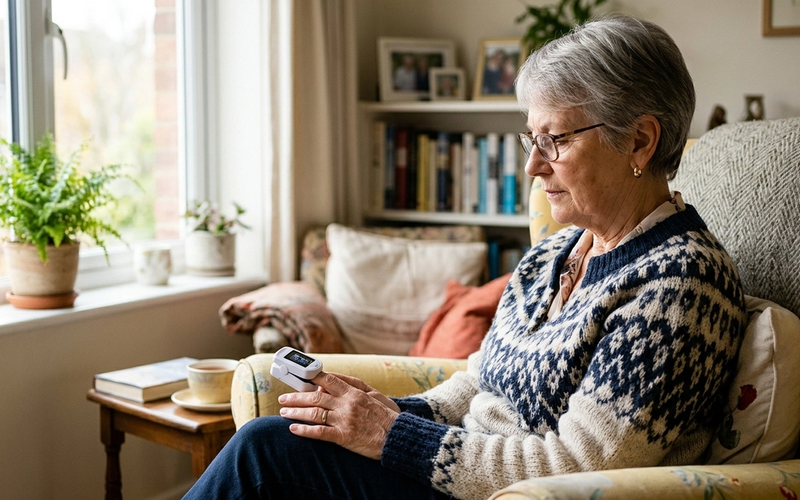
Normal Blood Oxygen Levels by Age for Seniors: What SpO2 Should Be
A normal blood oxygen level for seniors is 95 to 100 percent, the same as for any healthy adult, and it does not drop by the decade the way some charts claim. Here is what your pulse oximeter number means, when a low reading is an emergency, and why the device can read falsely high.

Cholesterol Levels by Age Chart for Seniors: What's Normal After 60
A desirable total cholesterol is under 200, with LDL under 100 and HDL over 60, and those targets are the same at 70 as they are at 40. Here is what your cholesterol numbers mean, how they really change with age, and when the number actually calls for treatment.
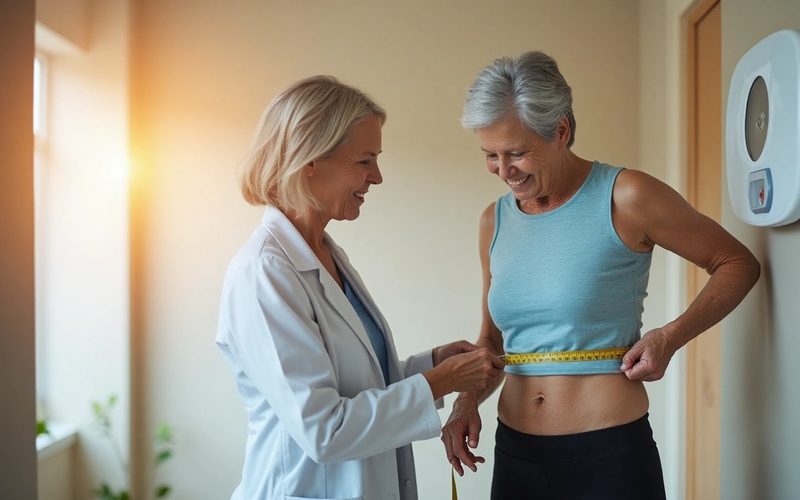
The Weight Chart for Senior Women (With BMI Guide)
Standard weight charts may not provide the complete picture when it comes to health for women over 60. The National Institutes of Health continues to report that a BMI between 25 and 27, typically labeled as overweight for younger adults, may actually support bone health and help protect against osteoporosis in older women. You might.
Explore senior living options
Comparing care for yourself or a family member? Browse communities by care type and see what each option typically costs.
- Assisted livingHelp with daily activities, costs, and how to choose a community.
- Independent livingMaintenance-free communities for active older adults.
- Home careIn-home support for seniors aging in place.
- Nursing homesSkilled nursing care and Medicare star ratings.
- Senior apartmentsAge-restricted, budget-friendly rental housing.
- Cost of senior livingCompare typical monthly prices by care type and state.